High-Speed Engraving & the Physics of Control
Speed is easy to increase.
Control is not.
In laser engraving, pushing higher speeds introduces forces that are invisible — but never insignificant. Momentum, acceleration, and deceleration must be managed precisely, or engraving quality begins to degrade.
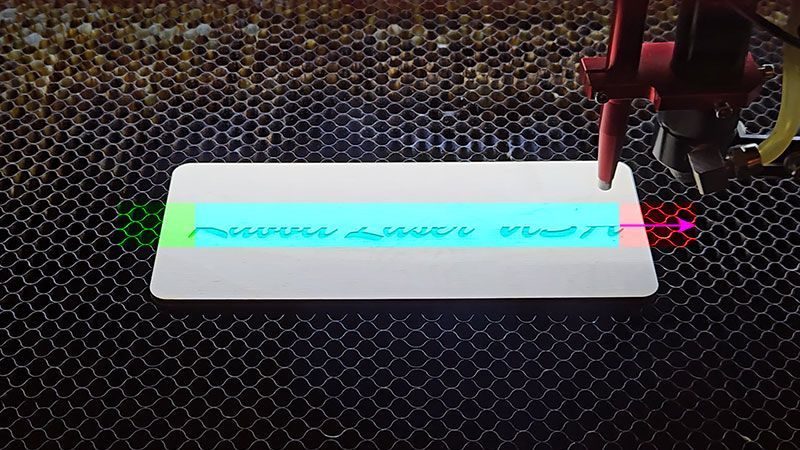
When the laser head moves past the edge of your artwork, that motion is not inefficiency.
It is engineered control.
High-speed engraving demands respect for physics.
Stability Before Speed
Most conversations around engraving focus on speed, power, or DPI.
Those variables matter.
But clean engraving depends first on motion stability.
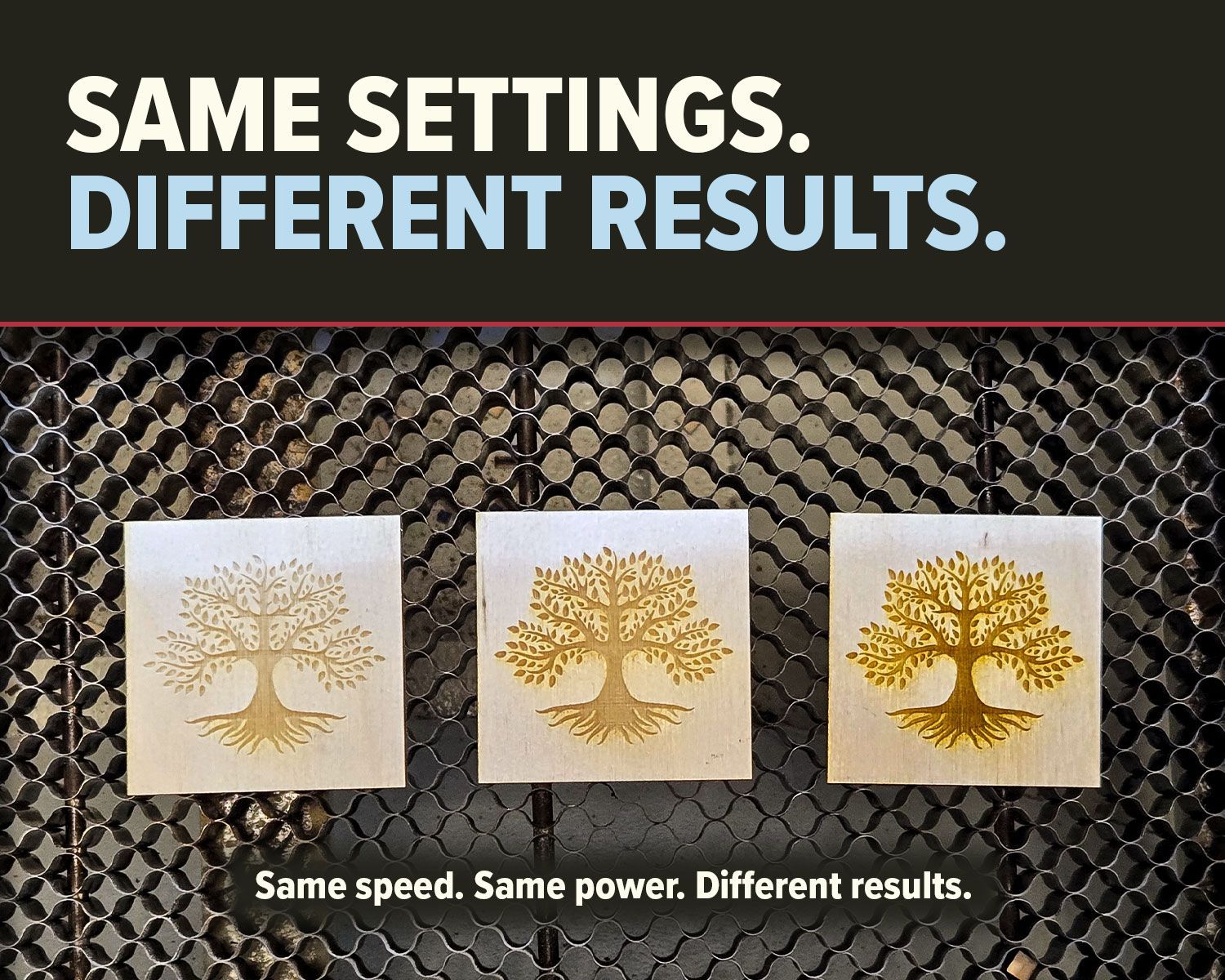
During raster engraving, the laser must fire while the head is moving at a consistent velocity. If speed fluctuates during acceleration or deceleration, engraving density changes.
That’s when you begin to see:
- Darker edges
- Subtle shadowing
- Light banding
- Inconsistent fill
Stability — not raw speed — defines precision.
Momentum: The Invisible Force
The laser head has mass.
At high speeds, that mass carries momentum.
Momentum does not disappear instantly.
If a motion system attempted to stop exactly at the edge of your artwork, the abrupt deceleration would transfer force directly into the gantry and frame. That shock can introduce vibration, oscillation, and density variation.
Instead, engineered systems create controlled travel space before and after the engraving pass.
This is commonly referred to as overscan.
In performance terms, it is momentum management.
The Constant Velocity Zone
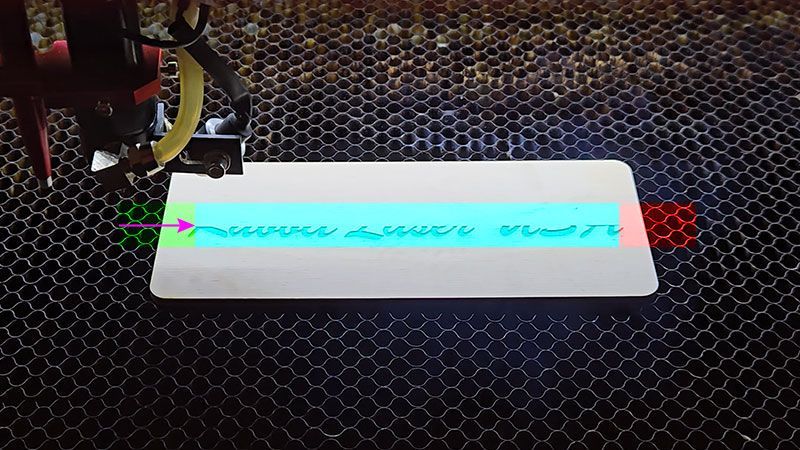
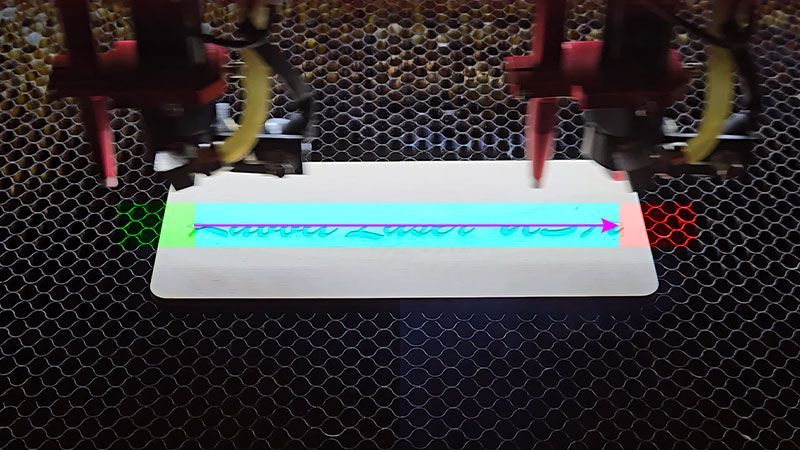
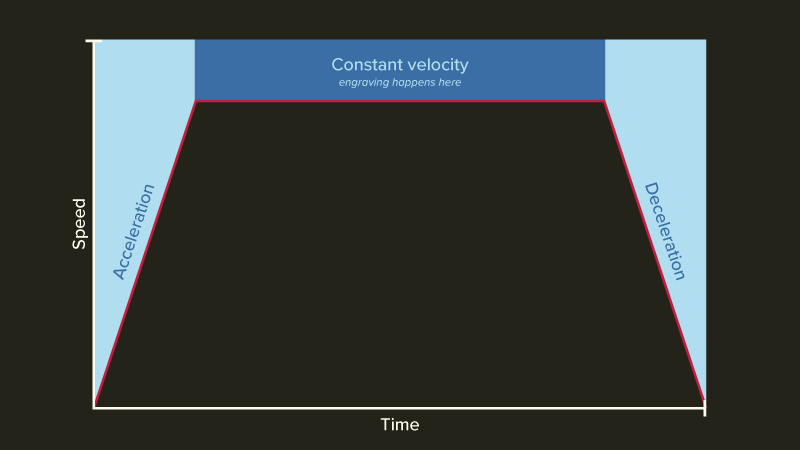
Every raster pass includes three motion phases:
- Acceleration
- Constant velocity
- Deceleration
Engraving quality exists only inside the constant velocity zone.
The head must reach full speed before firing across the artwork and must exit the engraving area before slowing down.
The travel beyond the design ensures the artwork remains inside a stable motion window.
That movement is not extra.
It is controlled.
Acceleration Defines Performance
Speed is a number.
Acceleration is behavior.
Speed determines how fast the head moves.
Acceleration determines how smoothly it reaches that speed.
Poorly tuned acceleration can:
- Transfer mechanical shock into the gantry
- Amplify vibration
- Create micro-density shifts
- Reduce edge clarity
These density shifts can also influence scanning alignment. Even slight instability during directional changes can affect engraving consistency across passes — a factor closely tied to proper scanning offset calibration.
Understanding how motion stability and scanning offset interact is critical for precision engraving.
Properly tuned acceleration, combined with accurate scanning offset calibration, ensures that engraving remains aligned, consistent, and predictable at higher speeds.
Acceleration is rarely discussed — yet it directly defines motion quality.
Mechanical Integrity & Force Transfer
Motion control does not exist in software alone.
It depends on physical engineering:
- Frame rigidity
- Balanced gantry weight
- Correct belt tension
- Structural alignment
- Calibration accuracy
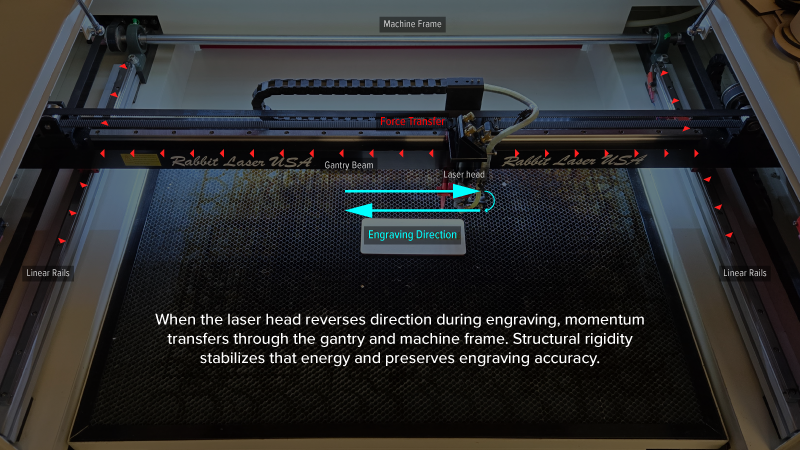
When the head reverses direction during raster engraving, energy transfers through the entire motion system.
A rigid structure stabilizes that force.
An unstable structure amplifies it.
Overscan alone does not create clean engraving.
Controlled force transfer does.
High Speed Changes the Usable Workspace
A machine’s advertised bed size reflects its maximum mechanical travel.
It does not automatically represent its maximum high-speed engraving width.
As engraving speed increases, required overscan distance increases. Higher momentum demands greater controlled acceleration and deceleration space.
That expanded motion envelope consumes additional travel distance on each pass.
If the calculated motion path exceeds defined machine limits, the controller will halt execution.
This is not a malfunction.
It is boundary protection.
The system is validating whether stable motion can occur within the available space. If it cannot, the job is rejected.
Performance systems do not compromise stability to satisfy speed.
They protect it.
Performance Is Not Accidental
High-speed engraving is not achieved by simply increasing numbers in software.
It is the management of momentum.
It is the discipline of controlled acceleration.
It is the respect for physical limits.
When motion is engineered, speed becomes stable.
When speed is stable, engraving becomes predictable.
And when engraving is predictable, precision follows.
Physics does not bend for performance.
Performance succeeds when it works within physics.
That is control. 🐰
Precision begins with controlled motion.
Explore engineered CO2 laser systems built for stability.