Choosing the Right CO₂ Laser Workbed Size for Your Projects
Choosing the right CO₂ laser bed size is about more than fitting your largest project. It affects the materials you can use, how many products you can process at once, and how efficiently your shop operates.
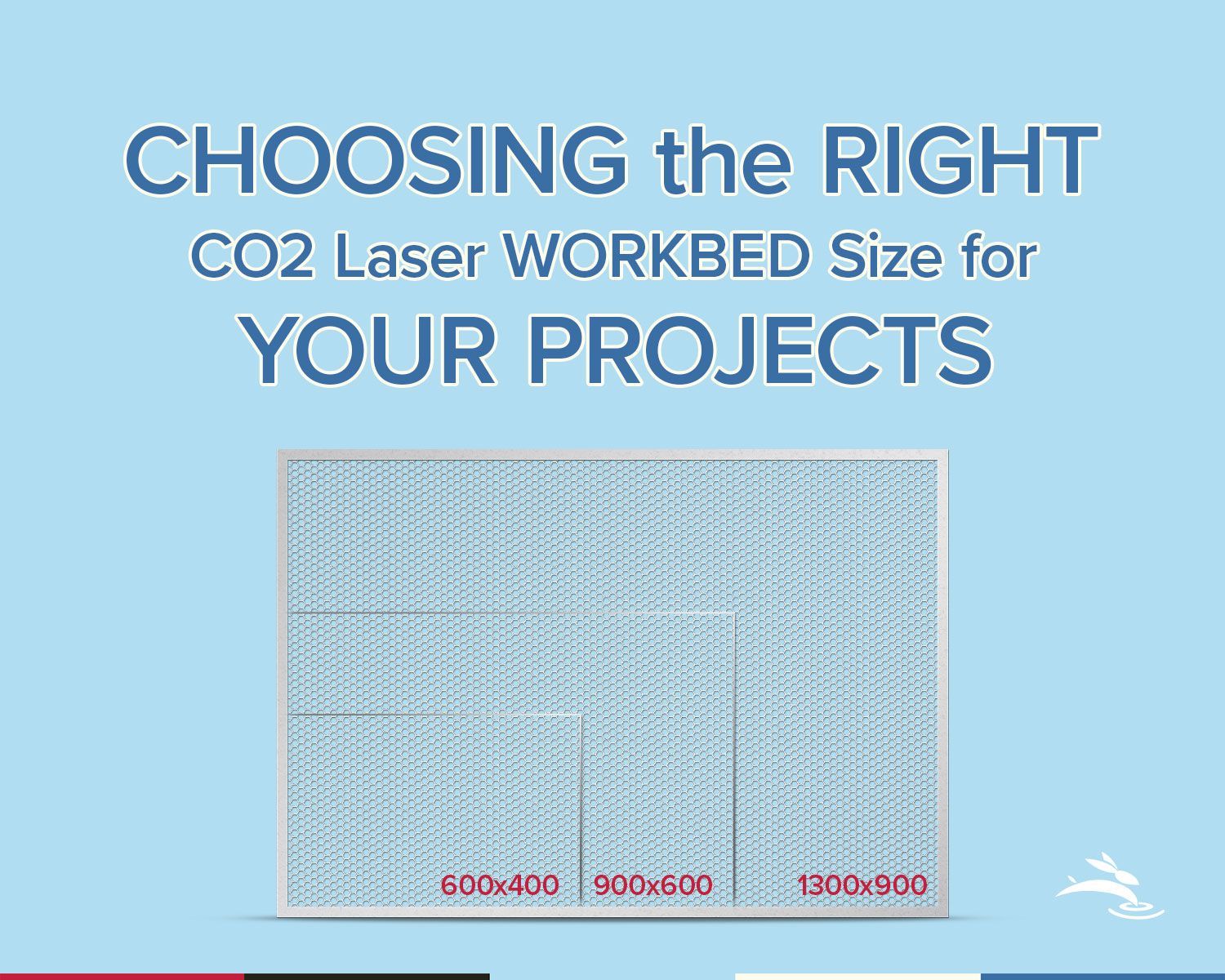
At Rabbit Laser USA, our primary CO₂ laser machines come in three work areas:
600 × 400 mm, 900 × 600 mm, and 1300 × 900 mm. Each size offers different advantages depending on your projects, workspace, and production needs.
Let's compare them so you can choose the machine that makes sense for your work.
600 × 400 mm (23.6" × 15.7") — Compact and Capable
Why Choose a 6040?
A smaller work area makes sense when most of your projects use relatively small materials. You can produce detailed engravings and precision cuts while keeping your equipment footprint manageable.
Both modular (SD) and rigid-cabinet (DL) configurations are available, giving you options based on your workspace and installation needs.
Explore Our 6040 CO2 Laser Machines
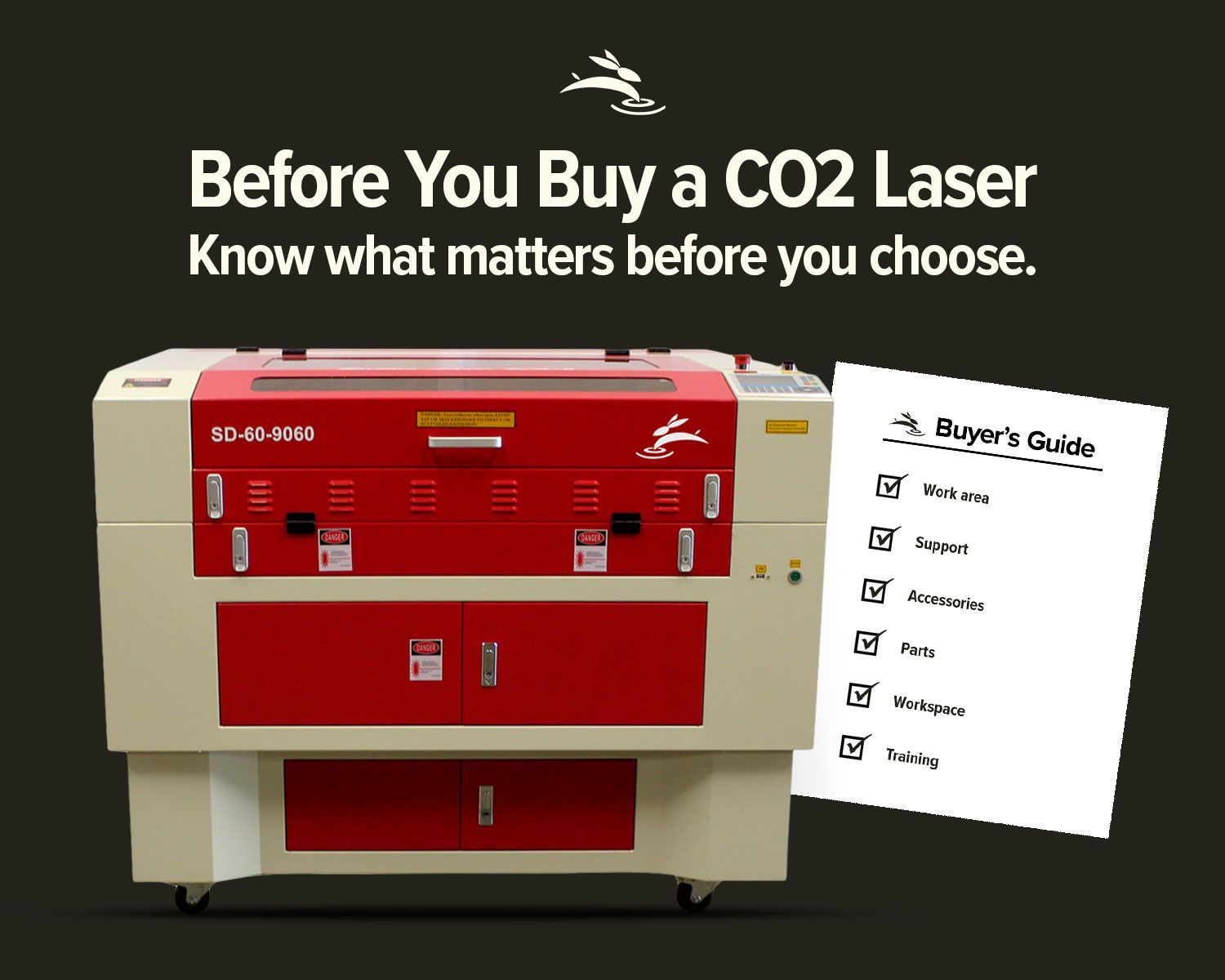
900 × 600 mm (35.4" × 23.6") — More Room, More Flexibility
Why Choose a 9060?
The extra workspace gives you more flexibility when arranging designs and cutting multiple pieces. That can reduce material handling and the number of times you need to load a new sheet.
The 9060 is especially useful when your work has grown beyond small gifts and accessories into larger signs, displays, and repeat production.
Our SD and DL configurations offer the same work area, with differences in cabinet construction and air-assist equipment.
Explore Our 9060 CO2 Laser Machines
1300 × 900 mm (51.2" × 35.4") — Built for Larger Projects
Why Choose a 1390?
A larger work area allows you to cut bigger designs in one setup or arrange more smaller parts across a sheet.
That extra space can improve workflow efficiency, especially when running repeat orders or working with larger material stock.
Both SD and DL models offer the same cutting area. The SD features a separable cabinet that can simplify access through tighter spaces, while the DL uses a traditional one-piece cabinet with a larger standard air-assist system.
Explore Our 1390 CO2 Laser Machines
Material Size vs. Workbed Size: What Actually Fits?
Laser bed dimensions are commonly listed in millimeters, while many wood and acrylic suppliers sell materials in inches. That difference is easy to overlook.
For example, a 24" × 36" sheet measures approximately 610 × 914 mm. That's slightly larger than the 9060's 600 × 900 mm work area.
The same issue applies to a 12" × 24" sheet on a 6040.
Before choosing a laser, consider:
- The largest sheet size you regularly purchase
- The size of your finished designs
- Space needed for clamps, jigs, or material positioning
- Whether you plan to cut individual pieces or full production sheets
A sheet that fits within the nominal work area may still need additional clearance for fixtures or machine movement. Always confirm the usable working space.
Can Pass-Through Doors Handle Larger Materials?
Rabbit Laser USA CO₂ machines feature pass-through access that can accommodate certain materials longer than the standard work area.
This is useful for projects such as long wooden signs, boards, and other oversized pieces.
However,
pass-through access does not increase the machine's normal cutting width or allow an entire oversized design to be processed automatically.
Larger projects may require repositioning the material and carefully aligning separate sections. Material dimensions, door openings, support, and the direction of the pass-through all matter.
If you plan to use full-size sheets or unusually long material, discuss those requirements with our team before choosing a machine.
Rotary Engraving: Does Bed Size Matter?
Don't Forget About Your Workspace
The workbed dimensions describe the laser's working area, not the overall cabinet size.
Before purchasing, measure the space where the machine will operate, along with the doorways, hallways, and corners it must pass through during delivery.
Leave space for ventilation, water cooling, material handling, and routine maintenance.
Rabbit Laser USA offers SD models with separable cabinets for locations where building access is a concern. Our DL models use traditional rigid cabinets.
Choosing the correct cabinet design can be just as important as choosing the workbed size.
Should You Buy a Larger Laser Than You Currently Need?
Not necessarily.
Buying a larger machine can make sense if you expect to work with bigger materials or increase production. But a larger workbed also requires more shop space and a greater equipment investment.
Instead of buying based only on your biggest possible project, consider what you regularly make and where you want your business to grow.
The right machine should support your current workload while leaving reasonable room for future opportunities.
Common Questions About CO2 Laser Bed Sizes
Can I upgrade my laser's workbed size later?
No. The workbed dimensions are determined by the machine's design. Moving to a larger work area generally requires purchasing a different machine.
Does a larger workbed mean a more powerful laser?
No. Workbed size and laser tube wattage are separate specifications. Available power options vary by model.
Can I use a 24" × 36" sheet in a 9060 laser?
Not as a full sheet within the standard work area. The material is slightly larger than the 9060's dimensions. You can trim the sheet to fit or consider a 1390 for regular use of that material size.
Which laser size is best for a small business?
That depends on what you're making. A 6040 can be a great fit for smaller personalized products. A 9060 offers more flexibility for mixed projects and production batches. A 1390 is worth considering when larger materials or high-volume layouts are a regular part of your work.
Choose the Right Laser for Your Work
Selecting the right CO₂ laser starts with understanding your materials, workspace, and production goals.
At Rabbit Laser USA, we'll help you compare workbed sizes, power options, cabinet designs, and equipment configurations so you can make an informed decision.
Our machines are backed by lifetime U.S.-based technical support, giving you access to experienced technicians when questions arise.
Not sure which size is right for you?
Contact Rabbit Laser USA and tell us what you want to make. We'll help you find the machine that fits your needs.
Delivery, installation, and on-site training options can be discussed as part of your quote. These services should not be assumed to be included in the advertised machine price.