USB-B to USB-A Panel-Mount Communication Cable – 3 ft
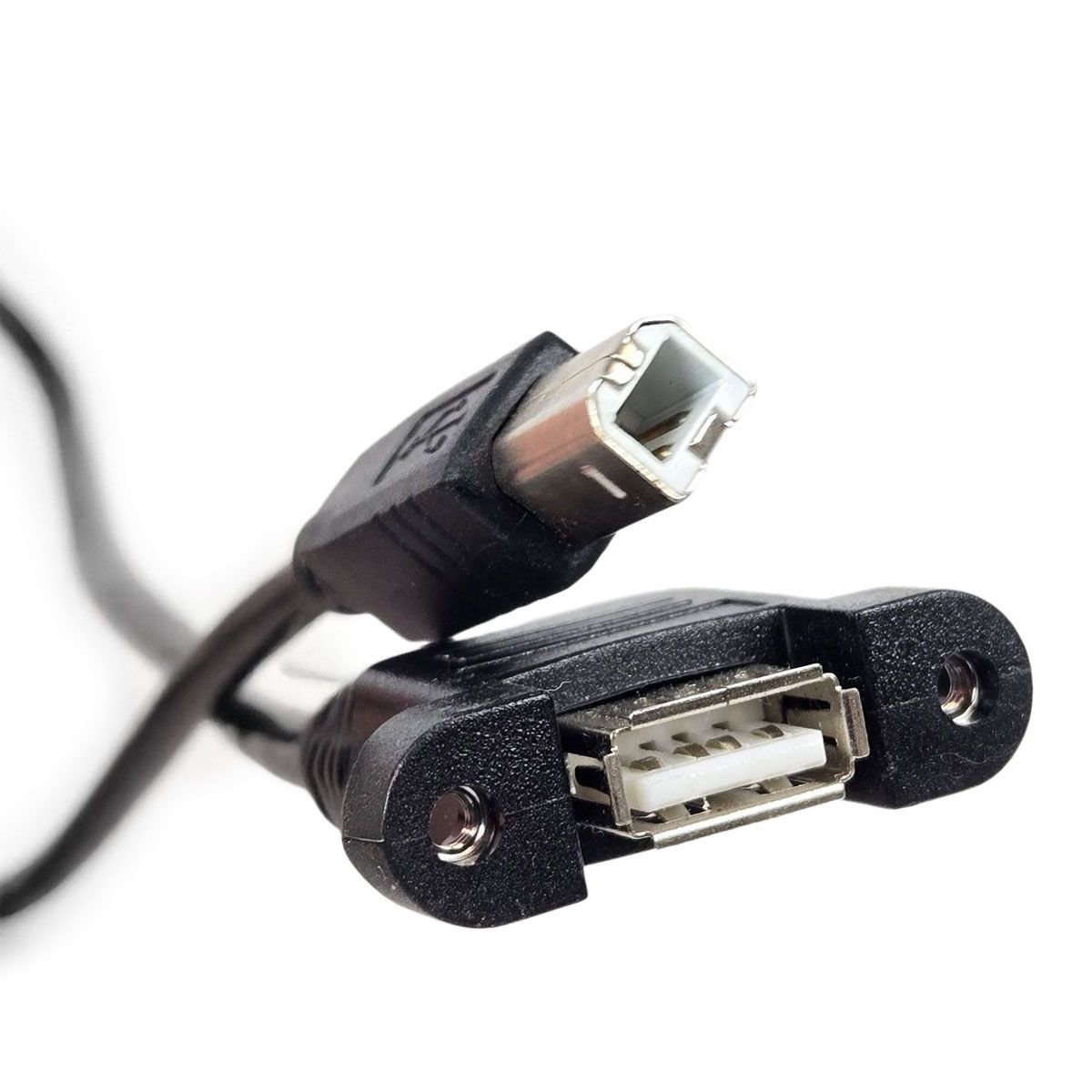
This 3-foot USB panel-mount communication cable provides an accessible external connection for compatible CO2 laser engraving and cutting machines. Featuring a USB Type-B male connector on one end and a panel-mounted USB Type-A female port on the other, it extends the laser controller's PC communication connection to the machine's exterior.
The two-hole mounting flange allows the USB-A port to be secured to a compatible machine panel, while the flexible black cable provides convenient internal routing. An integrated ferrite filter helps reduce high-frequency electrical interference along the cable.
Key Features
3-foot (approximately 0.9-meter) cable length
USB Type-B male connector for compatible laser controllers
USB Type-A female panel-mount connection
USB 2.0 communication cable
Two-hole mounting flange for external USB access
Integrated ferrite filter to help reduce electrical interference
Flexible black cable construction
Replacement option for compatible laser machine USB connections
Product Specifications
Product Type
USB Panel-Mount Communication Cable
Cable Length
3 ft (Approx. 0.9 m)
Connector A
USB Type-B Male
Connector B
USB Type-A Female
USB Standard
USB 2.0 (per product listing)
Mounting Style
Two-Hole Panel Mount
Interference Suppression
Integrated Ferrite Filter
Cable Color
Black
Primary Application
Laser Controller PC-USB Port Extension
Compatibility & Installation
This cable is intended for compatible laser controllers using a USB Type-B PC communication port, including select Ruida control systems.
The USB-B male connector attaches to the controller's designated PC communication port. The USB-A female connection mounts to the machine's exterior panel for convenient computer access using an appropriate communication cable.
Important:
This cable extends a PC communication connection and should not be confused with a USB flash-drive port. Verify the controller port, mounting-hole spacing, and available installation space before ordering.
Disconnect equipment power before installation. Route the cable away from moving machine components and high-voltage wiring, and secure the panel connector using suitable mounting hardware.
Rabbit Laser USA Support
Not sure which USB cable or panel connection your laser machine requires? Rabbit Laser USA provides knowledgeable technical support to help you identify the correct replacement parts for your equipment.